

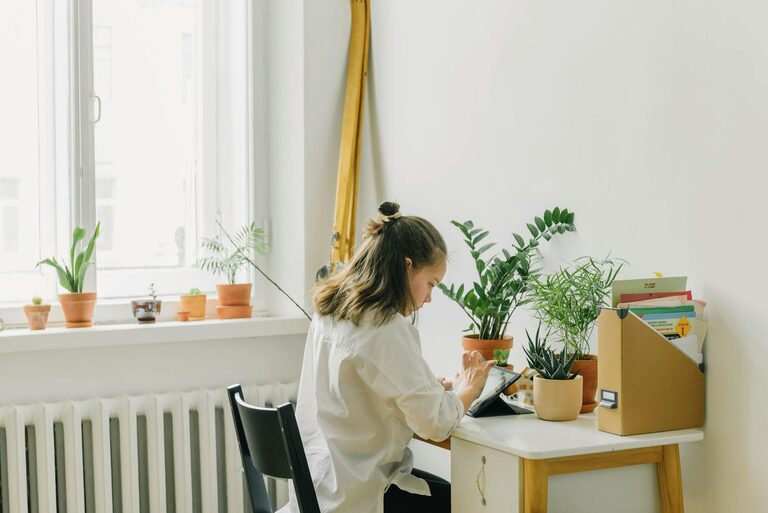
Creating a home workspace that is both relaxing and productive can make a significant difference in your work-from-home experience. When your environment supports comfort and focus, you’re more likely to maintain motivation and get tasks done efficiently. Whether you have a dedicated room or just a small corner, thoughtful design can transform your area into a calm and inspiring place to work.
Why a Relaxing Workspace Matters
A stressful or cluttered workspace can hinder your ability to concentrate and increase feelings of fatigue. On the other hand, a peaceful and well-organised environment helps reduce stress and invites creativity. By intentionally setting up your home office with comfort and calm in mind, you’re investing in your wellbeing and work output.
Choosing the Right Location
Find a Quiet Spot
Select a space where you’re least likely to be disturbed by household noise or interruptions. If possible, avoid high-traffic areas and places near televisions or kitchens which often distract.
Prioritise Natural Light
Position your desk near a window to take advantage of natural daylight, which can boost mood and alertness. If natural light is limited, invest in good quality lighting that mimics daylight to reduce eye strain.
Comfort Is Key
Invest in an Ergonomic Chair
A supportive chair with adjustable height, lumbar support, and comfortable cushioning can prevent back pain and fatigue during long working hours.
Adjustable Desk Options
Consider a desk that allows you to alternate between sitting and standing. Changing positions can help reduce stiffness and maintain energy.
Keep Temperature Comfortable
Ensure the room is well-ventilated and that you have access to temperature control like a fan, heater, or air conditioning, depending on the season. Being too hot or cold can distract you from your work.
Organising Your Workspace
Declutter Regularly
Keep your desk surface clear of unnecessary items. Clutter can overwhelm the senses and make it harder to focus. Use storage boxes, drawers, or shelves to keep items organized out of sight.
Use Cable Management
Tidy cables with clips or sleeves to prevent tangling and an untidy look. This also helps avoid tripping hazards and equipment damage.
Incorporate Functional Storage
Have designated spaces for stationery, notebooks, devices, and documents to keep everything within easy reach without creating clutter.
Adding Relaxing Elements
Choose Soothing Colours
Soft, neutral colours or muted blues and greens are known for their calming effects. These shades can create a peaceful visual environment that minimises stress.
Bring in Nature
Plants can improve air quality and add a refreshing touch to your workspace. Opt for easy-to-care-for plants like succulents, spider plants, or peace lilies.
Personal Touches Without Distraction
Incorporate a few personal items like photographs, artwork or meaningful objects that inspire you. Just be mindful to keep them limited to avoid visual clutter.
Lighting Tips for Comfort and Productivity
Layer Your Lighting
A combination of ambient, task, and accent lighting gives you control over brightness for different activities. A desk lamp with adjustable brightness can be especially useful.
Reduce Screen Glare
Position monitors to minimise reflection from windows or lights, and consider using an anti-glare screen protector.
Maintain Good Work Habits
Take Regular Breaks
Set reminders to stand, stretch or step away from your desk every hour. This helps eye health and keeps your body relaxed.
Keep Hydrated and Nourished
Have a water bottle handy and healthy snacks nearby. Staying hydrated and well-fed supports concentration and energy.
Establish a Routine
Start and finish work at consistent times to help your brain recognise when to focus and when to relax.
Technology Setup for Efficiency
Organise Your Desktop
Keep digital files and applications neatly organised, just like your physical desk. Well-arranged folders and shortcuts save time.
Use Headphones for Focus
Noise-cancelling or comfortable headphones can block out distracting sounds and improve concentration, especially in busy households.
Ensure Reliable Connectivity
A strong Wi-Fi connection and necessary accessories such as external mice or keyboards can make your work smoother and more comfortable.
Final Thoughts
Creating a relaxing home workspace is about combining comfort, organisation, and personal touches that support your work style. Small adjustments can lead to big improvements in how you feel and perform throughout the day. Focus on what makes you comfortable and reduces distractions, and you’ll find your productivity naturally improves.
By designing a space tailored to your needs, you’re not just enhancing your professional life but also creating a sanctuary where work feels less like a chore and more like a positive experience.